A platform with a simple interface often struggles when workflows require approvals or exception handling. Businesses that choose ease of use over capability risk costly rebuilds as their needs become more complex.
Choosing between Power Automate vs Zapier often comes down to which platform looks easier to use at first glance. You might find yourself drawn to the tool that promises quick setup and a clean, simple interface.
That first impression can be appealing, especially if you want to get workflows running fast. Many businesses in Coopers Plains and beyond want automation to just work, without a steep learning curve.
But when your business grows and your processes get more complex, that early simplicity can turn into a problem. The real test comes when you need approval chains, exception handling, or integrations that go beyond the basics.
A workflow that was easy to build might not be easy to adapt. If your chosen platform can’t handle the complexity, you could end up rebuilding your automations from scratch—costing you more time and money than if you’d chosen a more capable tool from the start.

It’s tempting to pick an automation platform that feels intuitive and straightforward. The menus are clear, the steps are obvious, and you can build your first workflow in minutes. This approach works well for basic tasks, like sending notifications or copying data between apps.
However, as your business processes evolve, you might need more than just simple triggers and actions. For example, handling exceptions—like what happens when a step fails or an approval is denied—requires more advanced logic. A platform that hides complexity behind a simple interface can make it difficult to add these features later.
When you try to extend your workflows, you may find that the tool’s simplicity is actually a barrier. Some platforms limit how you can branch, loop, or handle errors. Others make it hard to see what’s really happening behind the scenes. This can lead to fragile automations that break easily when your needs change.
Fragile workflows are those that work fine until something unexpected happens. For example, if an approval step is added to a process, or if a new exception needs to be handled, a basic automation might not cope. This can result in failed tasks, missed notifications, or data errors that are hard to trace.
The cost of fixing these issues is rarely small. Rebuilding a workflow often means pausing business processes, retraining staff, and sometimes even losing data. The time and effort spent on these fixes can quickly outweigh the time saved by choosing the simpler tool in the first place.
In Coopers Plains, where many businesses rely on automation to keep operations smooth, a fragile workflow can cause real disruptions. The risk grows as your team and processes expand.
When comparing Power Automate vs Zapier, it’s clear that both platforms have strengths. Zapier is known for its user-friendly interface and wide range of app integrations. Power Automate, on the other hand, is built to work deeply with the Microsoft ecosystem and offers more advanced features for handling complex workflows.
Zapier’s simplicity is great for straightforward tasks. You can connect apps, set up triggers, and automate repetitive actions without much technical knowledge. But when you need approval chains, conditional logic, or exception handling, Zapier’s interface can become limiting. Some advanced features are hidden behind higher pricing tiers or require workarounds that aren’t always reliable.
Power Automate may have a steeper learning curve, especially if you’re not already using Microsoft 365 or Dynamics 365. However, it offers more flexibility for building workflows that involve multiple steps, approvals, and error handling. You can use built-in connectors, custom scripts, and even AI capabilities to automate complex business processes.
If your business expects to grow or your processes are likely to become more complicated, Power Automate’s depth can save you from having to rebuild workflows later. While it may take longer to set up initially, the investment pays off when your automation needs evolve.

Even the most user-friendly automation tool can run into trouble as your business grows. Here are four situations where a simple interface can become a problem:
When you need more than a single yes/no approval, simple tools may not support branching or multiple approvers without complex workarounds.
Basic platforms often lack clear ways to manage what happens when a step fails, leading to silent errors or broken processes.
Connecting to less common or industry-specific apps can be difficult if the platform only supports popular integrations.
As your workflow volume increases, some tools struggle to keep up or require expensive upgrades to maintain reliability.
A clean interface is only one part of choosing an automation tool. To avoid fragile workflows, consider these factors:
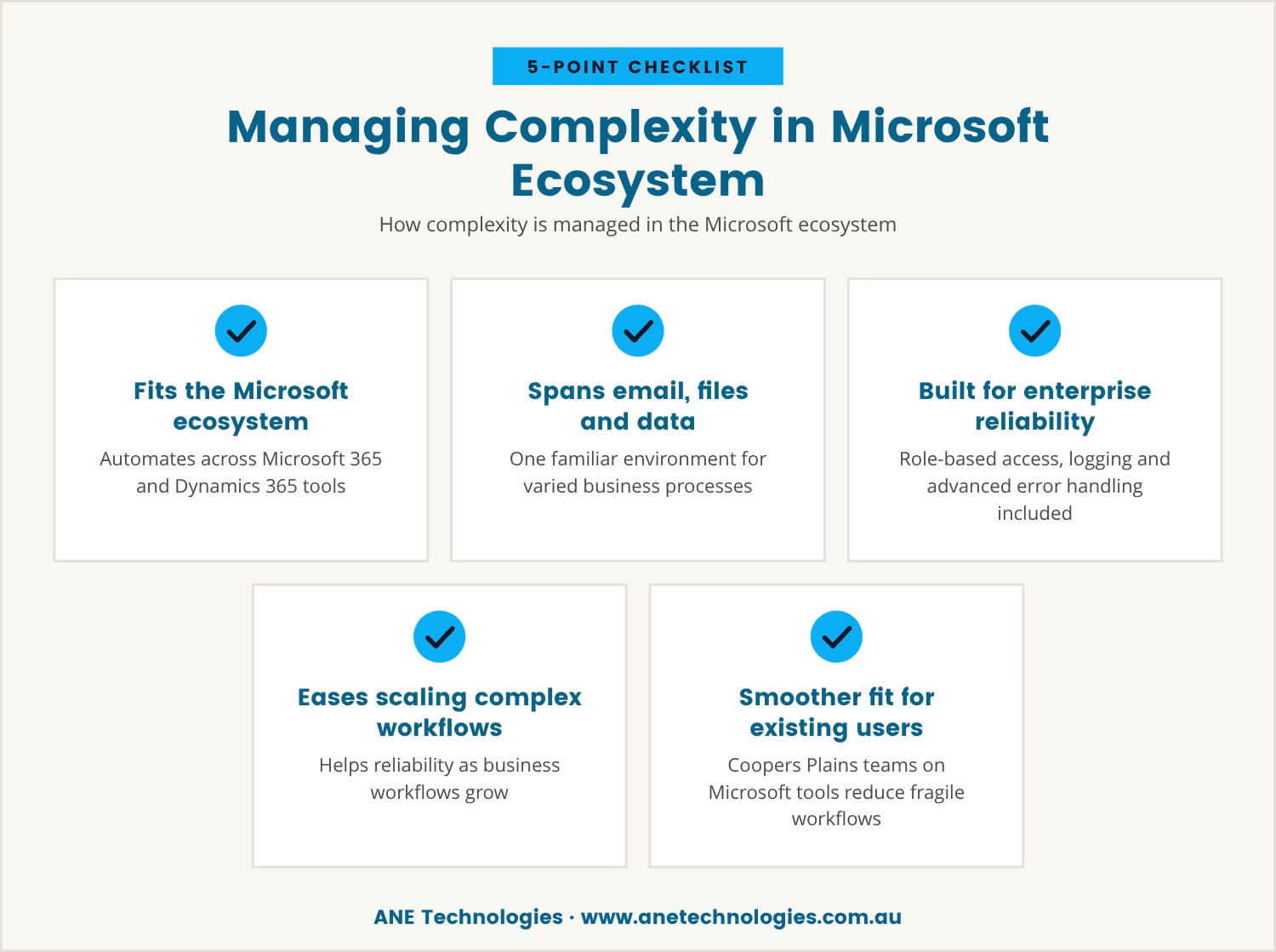
Microsoft Power Automate is designed to fit into the broader Microsoft ecosystem, including Microsoft 365 and Dynamics 365. This integration allows businesses to automate processes that span email, files, databases, and more, all within a familiar environment.
Because Power Automate is built for enterprise use, it includes features like role-based access, detailed logging, and advanced error handling. These capabilities make it easier to manage complex workflows and ensure reliability as your business scales.
If your team in Coopers Plains already uses Microsoft tools, adopting Power Automate can streamline automation and reduce the risk of fragile workflows. The upfront effort to learn the platform is balanced by the long-term stability it provides.
When an automation platform can’t keep up with your business needs, the cost isn’t just financial. Rebuilding workflows means lost productivity, frustrated staff, and potential errors during the transition. These hidden costs often outweigh the convenience of starting with a simpler tool.
Businesses that invest in a more capable platform from the start are less likely to face these disruptions. While the setup may be more involved, the result is a set of reliable systems that can grow with your business.

If your business has 1 to 40 users, you might be weighing the risks of picking a simple automation tool that could hold you back later. At ANE Technologies, we understand how frustrating it is to face workflow rebuilds just when your business is growing.
We invite you to see how we approach automation planning—so you can avoid fragile systems and keep your business running smoothly.
If we ever miss a commitment, you’ll receive a $170 service credit—so you know your automation project is in safe hands.
Workflow automation usually refers to automating tasks between software applications, like moving data or sending notifications. Robotic process automation (RPA) goes further by mimicking human actions, such as clicking through screens or entering data into legacy systems. RPA is often used for repetitive, rule-based tasks that can’t be automated through standard integrations.
Yes, Zapier is a popular alternative to Microsoft Power Automate for basic automation needs. It’s easy to set up and supports many web apps. However, if you need complex workflows, approvals, or deep integration with Microsoft products, Power Automate may be a better fit.
Pricing varies widely depending on the features and usage levels you need. Some platforms offer free tiers for simple workflows, but advanced features or higher usage often require paid plans. It’s important to consider not just the monthly cost, but also the potential costs of rebuilding workflows if the platform can’t handle your future needs.
If Zapier doesn’t support a specific app or integration, you might consider platforms like n8n, Make (formerly Integromat), or Microsoft Power Automate. These tools offer more flexibility and customisation for businesses with specialised requirements.
If you find yourself creating workarounds, struggling to add new steps, or frequently fixing broken workflows, your automation tool may be reaching its limits. Regularly review your processes to see if the platform still meets your needs as your business grows.

With 20 years of industry experience and a strong background in business operations and process analysis, Rob understands how technology can be applied practically to improve commercial systems, workflows, and outcomes.

We help small businesses in Coopers Plains, Brisbane and across South-East QLD thrive with expert IT support.
Our engineers are experienced and committed to your success.