Strict Intune compliance can waste more time than it saves for small teams, protecting against risks they rarely face. Productivity often suffers more than security is improved.
Picture a staff member arriving at 8am, laptop in hand, only to find the device locked out by an overnight policy update. Nobody disabled anything; the compliance rule simply did its job too well, and now the whole morning is gone.
That single lockout says a lot about what happens when Microsoft Intune policies are set too tightly. Devices get locked out, updates interrupt meetings, and simple tasks take longer than they should, and because each lost minute compounds the next, a small team can watch a minor delay turn into a missed deadline or a frustrated client.
The trouble often starts with one rule. A single compliance setting can block access to files or tools staff need, and while the intention is security, the result is frequently hours spent troubleshooting or waiting for IT to clear a device that was never a real risk. Productivity drops accordingly, and the team feels the strain long after the rule has done its job.
Microsoft Intune itself is built to help businesses manage devices and keep data safe, letting a business set rules for how devices connect to its systems, what apps they can run, and how data stays protected. Yet when every device has to clear strict requirements before anyone can get to work, the cost in time and morale can outweigh what the rule was meant to deliver.
That trade-off plays out differently depending on where a business sits. For many businesses, especially in places like Coopers Plains, the risk of a major security breach is lower than the risk of losing valuable working hours to over-complicated policies. Striking that balance between protection and productivity is rarely simple, but it matters more than most guides admit.

Strict compliance policies are meant to protect a business, but they can just as easily create unexpected bottlenecks. Each new rule adds another step for the team to follow, and every exception that crops up takes time to resolve.
Take a policy that requires every device to run the latest operating system update before it can reach company files. If one team member's device is a day behind, they're locked out until the update finishes, so the time that follows is spent waiting rather than working.
The more rules stack up, the more likely someone will run into a wall. Rather than getting on with their actual work, staff end up troubleshooting devices or waiting on a help desk call, which stings even more when the risk the policy was meant to catch was never likely to touch the business in the first place.
Device management is supposed to make things easier, not harder, so when compliance gets in the way of getting things done, it's worth asking whether every rule still earns its place.
Security matters, but it isn't the only thing that matters. Every tightening of security controls carries a flip side: it can make the job harder for the very people it's meant to protect, and the real challenge is finding a balance that keeps data safe without slowing everyone down.
Endpoint security tools like Intune MDM are powerful, but they're not magic. They can block threats just as readily as they can block staff from doing what they need to do, and if every device has to clear a long checklist before it's usable, people will find ways around the system or simply stop using it altogether.
Because of that, the real risk is not always an outside attacker. Sometimes the biggest threat to a business is its own lost productivity, and strict policies can end up guarding against a problem that was never likely to happen while quietly creating new ones.
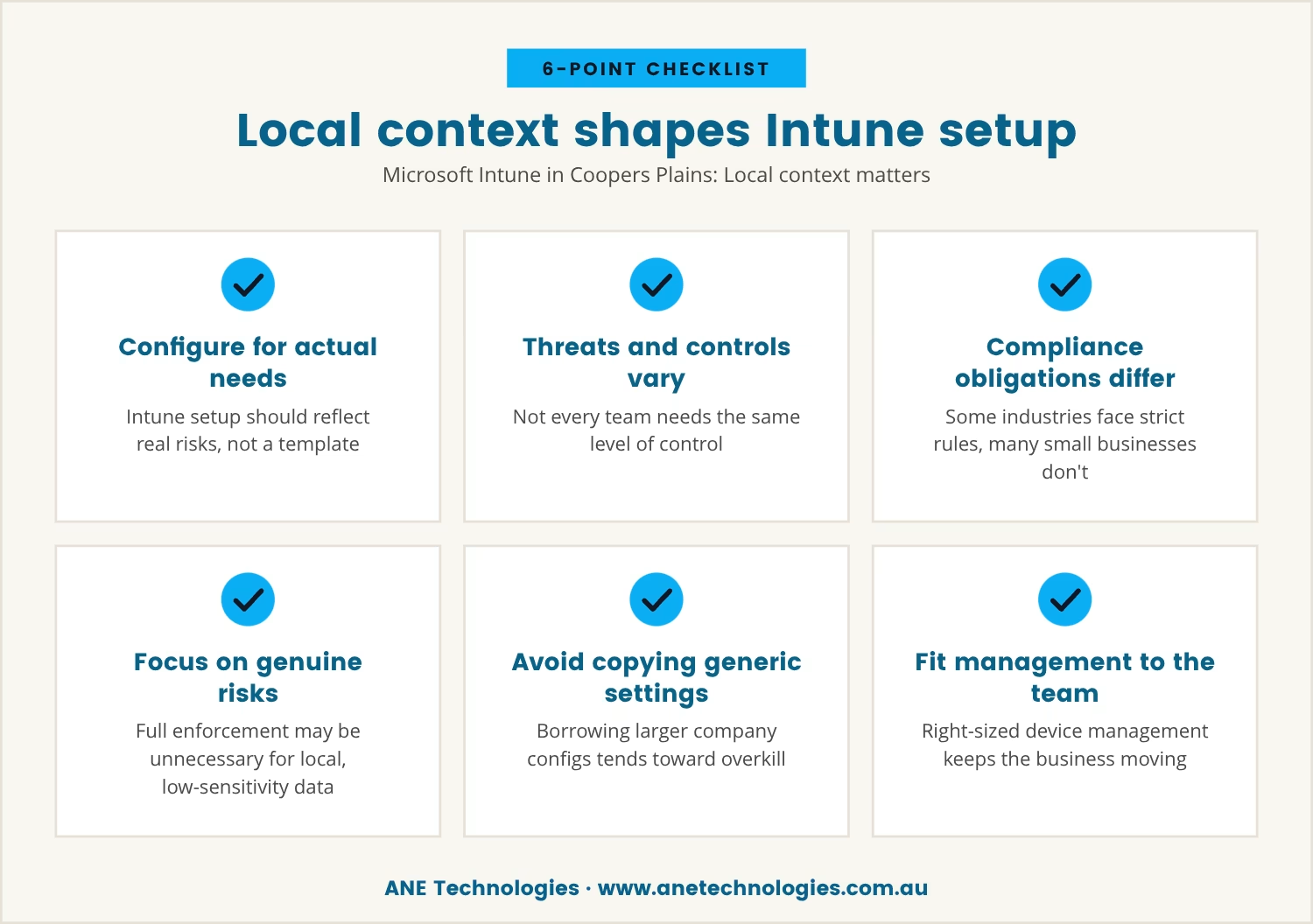
For businesses in Coopers Plains, the way Microsoft Intune gets configured should reflect actual needs and actual risks rather than a one-size-fits-all template. Not every business faces the same threats, and not every team needs the same level of control.
Some industries carry strict compliance obligations, but plenty of small businesses don't. If the clientele is local and the data isn't highly sensitive, enforcing every possible rule may not be necessary at all; the better move is to focus on the policies that address genuine risks for that business.
It's tempting to copy settings from a larger company or lean on a generic guide, but that path tends toward overkill. Device management should fit the team, not the other way around, and getting that fit right keeps the business moving without unnecessary roadblocks.
Some features of Microsoft Intune are built for maximum security, and those same features often create the most friction for small teams. Here's where problems tend to start:
These rules decide who can access what, and when. Set too tightly, they can block legitimate users for minor reasons, causing delays that outweigh the risk they're guarding against.
Devices must meet certain standards before they can connect, so a device that falls out of compliance, even briefly, can be locked out until it's fixed.
Requiring every device to update immediately can interrupt work in progress, especially when the updates are large or slow to install.
Blocking certain apps can protect data, but it can equally stop staff using tools they depend on, and the wrong restriction can stall an entire project.
The ability to erase or lock a device remotely is genuinely useful when a device goes missing, but a mistake here can mean losing important work or access by accident.
Detailed reports help track compliance, yet they can also throw up alerts for minor issues that don't matter, creating busywork for IT that adds little value.
There are times when strict compliance is the right call. A business that handles sensitive data or must meet legal obligations may need every rule enforced, and in those cases the risk of a breach outweighs the cost of lost time.
For many small businesses, though, the main goal is simply keeping things running smoothly, and when the team is small and the data isn't highly sensitive, some rules can be relaxed without raising real risk. The key is knowing what threats actually apply and matching policies to those threats rather than to a checklist.
So it's worth asking: does this rule protect against a real risk, or is it just following a template? If it's the latter, the setup can likely be simplified, saving the team a lot of unnecessary hassle.
Striking the right balance between security and productivity takes some planning, and the following steps offer a practical starting point:
Every time a compliance policy stops someone working, it carries a cost, whether that's a missed call, a delayed project, or a frustrated employee. These small moments accumulate, and over time they can hurt a business more than the risks the policies were meant to prevent.
Strict enforcement still makes sense for some businesses, but for many it's a case of using a sledgehammer to crack a nut. The better approach sets policies that guard against real threats while keeping the team moving, which is how a business gets the benefits of Microsoft Intune without paying too high a price in lost productivity.

Many businesses with 1 to 40 users find themselves stuck between keeping data safe and keeping work moving. At ANE Technologies, we understand how frustrating it can be when security tools slow your team down instead of helping.
We invite you to see how we approach this balance—let’s talk about your setup and find a way to protect your business without unnecessary roadblocks.
If we ever miss a commitment, you’ll receive a $170 service credit—just for businesses like yours who value reliability.
Start by reviewing current policies and removing any rule that doesn't address a real risk, then customise device management settings to match the team's actual workflow. Allow exceptions where needed and make sure staff know how to get help quickly when problems crop up.
Microsoft Intune is mainly used to manage devices, protect company data, and ensure only approved users and apps can reach business systems. For a small business, it helps keep things organised and secure, provided it's configured so it doesn't slow down daily work.
No, not every business needs every compliance feature switched on. Focus on the policies that guard against risks the business actually faces, since over-enforcing tends to cost productivity and goodwill without adding much real security.
Settings are likely too strict if the team is regularly locked out of devices, waiting on updates, or struggling to reach the tools they need. Regular feedback from staff helps catch these issues early, before they become routine frustrations.
Yes, Intune MDM can manage both company-owned and personal (BYOD) devices, with different policies set for each type. That way personal devices aren't saddled with unnecessary restrictions while company data stays protected.

With 20 years of industry experience and a strong background in business operations and process analysis, Rob understands how technology can be applied practically to improve commercial systems, workflows, and outcomes.

We help small businesses in Coopers Plains, Brisbane and across South-East QLD thrive with expert IT support.
Our engineers are experienced and committed to your success.